

Ready for the E-Exam – A Guide for Students
On this page, you will find all important information about your e-exam (digital on-site exam in safe exam mode) at HWR Berlin. Familiarize yourself with the technical requirements and organizational procedures early on so that you can start your exam confidently and well prepared.
How E-Exams Work – Overview
E-exams at HWR Berlin take place in specially equipped examination rooms and are completed on designated Windows PCs with a German keyboard. Here you will get an initial overview of the procedure.
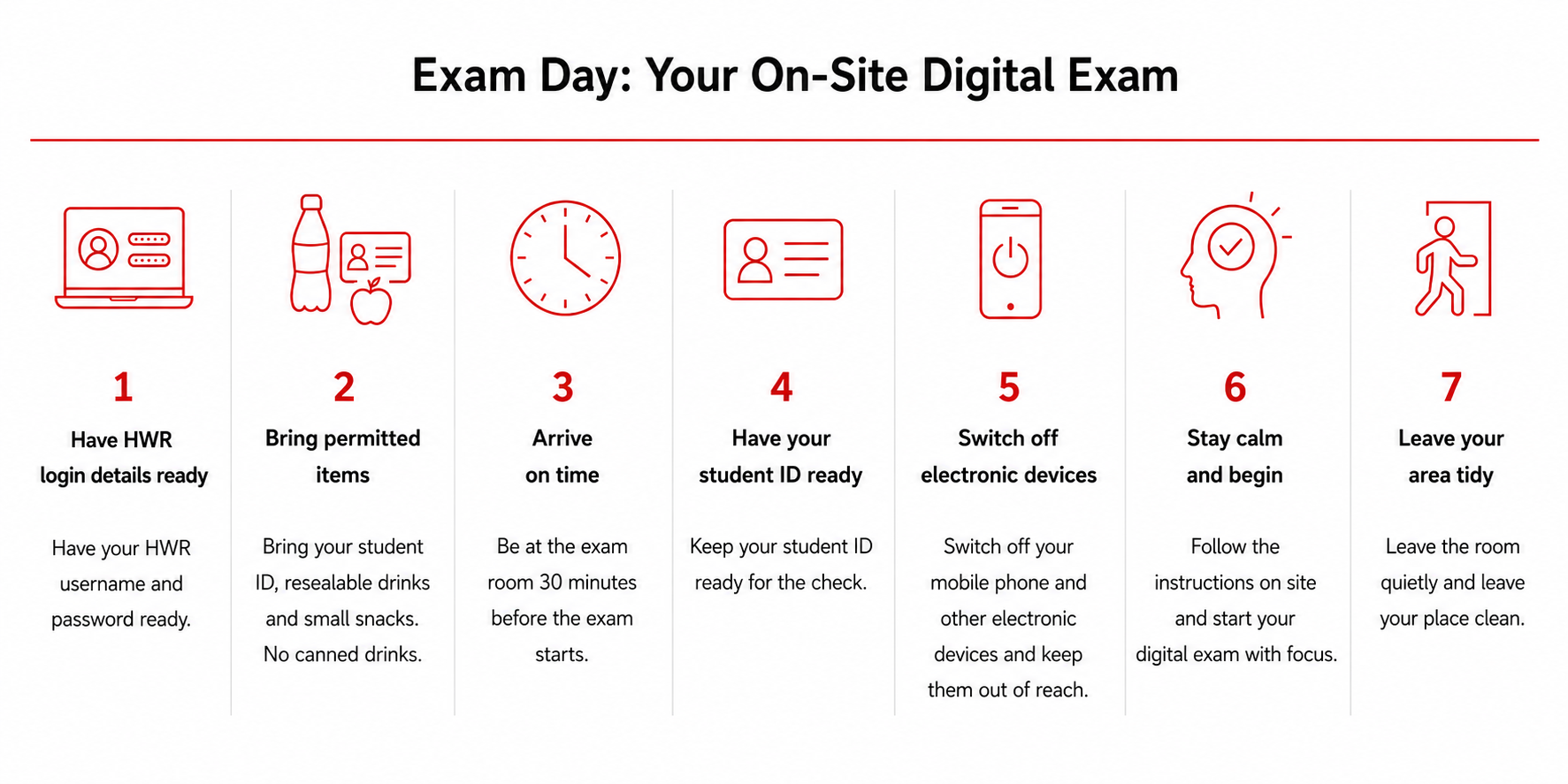
Before the E-Exam – Preparation
Good preparation is essential for ensuring that your digital exam runs smoothly. Please familiarize yourself with the following points early on.
Technical Guide – Video
The videos explain how to log in to the exam environment, navigate within it, and complete the exam correctly. For most exams, the standard version is relevant. If Excel is used in your exam, please follow the instructions in the Excel version.
Opening the desk in the examination room
Standard version
Video without instructions using Excel
Version for e-exams with Excel as permitted aid
Video with addional instructions using Excel
coming soon
– Meanwhile the German version is available on the German page.
– You will find an English subtitle in the German version.
Technical Check
During the technical check, you can familiarize yourself with the examination environment in advance and ensure that you are technically prepared. Participation is recommended, especially before your first digital exam.
Technical Check – Info & Dates
Keyboard
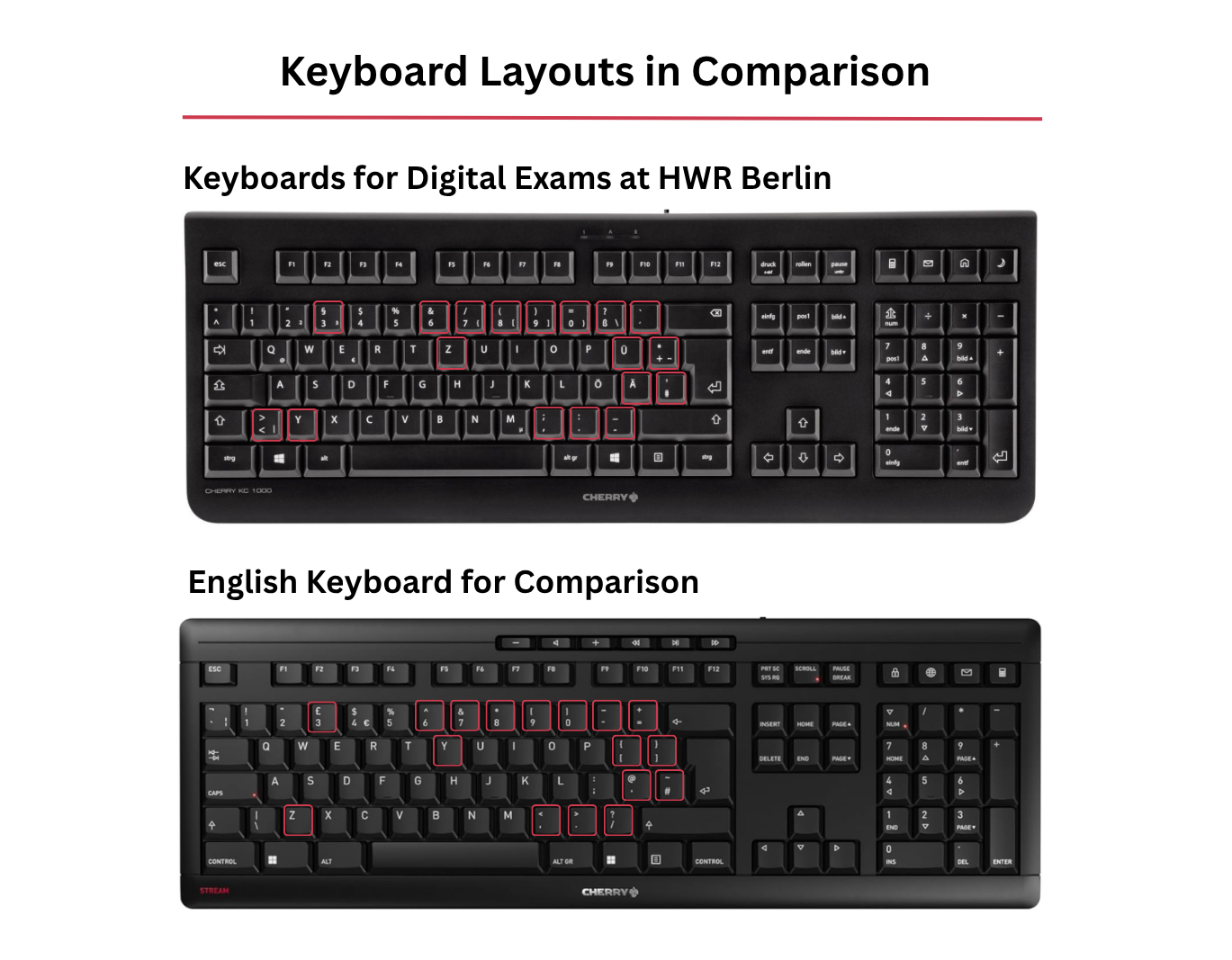
The computers in the examination rooms are equipped with a German keyboard. If you usually use a different keyboard layout, please familiarize yourself with the German layout in advance, especially with umlauts, punctuation marks, and special characters. It is not possible to bring and use your own keyboard using the computers in the digital examination rooms. Characters such as €, {, , [, ~ can be accessed via Alt-Gr (third-level occupacy).
Login
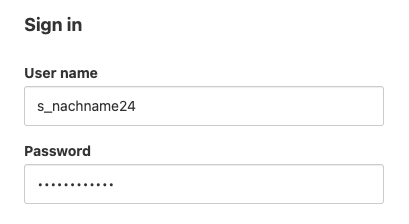
To log in to the exam environment, you will need your HWR login credentials. Please note the following:
- Keep your HWR login credentials (without “@hwr-berlin.de”) ready for the exam, e.g. on a piece of paper or in a password manager.
- Make sure that all special characters in your password can be found on a German keyboard.
On the Exam Date
Please observe the following instructions to ensure a smooth start to the exam for everyone involved.
- Arrive at the examination room on time, at least 30 minutes before the exam begins.
- Mobile phones and other electronic devices must be switched off or put into flight mode after entering your password and kept out of reach.
- In case of technical difficulties, first use the Moodle help on the right-hand side in the help blocks. If the problems persist, please contact the exam supervision.
After the E-Exam
- Log out: Log out of the examination environment completely.
- Tidy your workspace: Leave your workstation clean and tidy.
- Leave the room quietly: Be considerate of examinees who are still writing.
Rules & Legal Information
The following regulations are binding for all digital exams at HWR Berlin. Please familiarize yourself with them in advance.
- Private devices (smartphone, tablet, etc.) must be switched off or in flight mode. Internet-enabled devices may trigger an automatic lock due to suspected cheating.
- Exam files and exam questions must not be photographed, sent, or otherwise taken out of the exam. This is considered an attempt to cheat.
Guideline for Conducting E-Exams (in German)
Framework Study and Examination Regulations (in German and English)
